
Can You See Who Viewed Your Highlights on Instagram? The 48-Hour Rule Explained (2026)

The Short Answer First
You posted a highlight last week and now you are curious. Who actually watched it?
Maybe it was your crush. Maybe it was your ex. Maybe it was someone you did not expect at all.
Here is the honest answer, and I will keep it simple. Yes, you can see who viewed your highlights, but only for 48 hours after the original story was posted. After that, the list is gone for good.
I have spent years building anonimogram and studying how Instagram handles viewer data, and this 48-hour window trips up almost everyone. So let me explain exactly how it works, how to check it, and what you can still see after it closes.
Yes, Instagram shows you who viewed your highlights. But the window is short. You get 48 hours from the moment the original story was posted, and then the names disappear.
The clock starts when the story goes live. It does not start when you add the story to a highlight. That one detail is where most people get confused, so remember it.
If the story inside the highlight was posted more than 48 hours ago, there is no viewer list to check. Instagram deletes it at the platform level, and no app can bring it back.
How the 48-Hour Clock Actually Works
Think of every story as having its own little timer. The timer starts the second you post the story. It runs for 48 hours. Then it stops, and the viewer names go with it.
The first 24 hours are the easy part. Your story is live in the story tray, and anyone who watches it shows up in the viewer list. You can check it any time by swiping up.
The second 24 hours are the part people forget. Your story has left the tray, but the viewer list is still alive in your archive. You can still open it and see every name.
After 48 hours, the list is gone. The highlight itself stays on your profile for as long as you keep it there. The clip still plays. But the names are gone, and Instagram does not keep a copy you can open.
| Age of the original story | What you can see |
|---|---|
| Under 24 hours | Live story plus highlight, full viewer list with names |
| 24 to 48 hours | Highlight or Stories Archive, viewer list still available |
| Over 48 hours | Highlight still plays, no viewer list, only Insights totals on Business or Creator accounts |
How to Check Who Viewed Your Highlights on Your Phone
Checking takes about ten seconds once you know where to look. Here is the exact path I use when I test this myself.
- Open Instagram and tap your profile picture at the bottom right.
- Tap the highlight you want to check.
- Let the clip play, then swipe up or tap Activity in the bottom left corner.
- Read the list. Each clip inside the highlight has its own list, so move to the next clip and check it separately.
One tip from my own testing: check each clip separately. A highlight can mix a story from this morning with one from last month. The fresh clip still has a viewer list. The old one does not.
How to Check on Desktop
You can do the same thing from a computer, and the steps are almost identical.
- Go to instagram.com and log in.
- Open your profile and click the highlight.
- Click Seen by in the bottom left corner of the story frame.
- The full viewer list opens, as long as the clip is still inside its 48-hour window.
If the Seen by button is missing, the window has already closed. That is Instagram telling you the list is gone, not a bug in your browser.
Why Some Guides Say 24 Hours and Others Say 48
If you search this question, you will find two different answers, and honestly both sides sound confident. So here is what is really going on.
The 24-hour number comes from the story itself. A story stays visible in the tray for 24 hours. Some older guides stopped there and assumed the viewer list died with it.
The 48-hour number is the real rule. Instagram keeps the viewer list for a full 48 hours from posting time. The second day lives in your Stories Archive, which is why people who only check the live story never see it.
Fresh guides from November 2026 now agree on 48 hours, and the older 24-hour answers are simply out of date. I checked this myself before writing, because getting this wrong would waste your time.
What Business and Creator Accounts Still See After 48 Hours
Here is some good news if you run a Business or Creator account. The names disappear after 48 hours, but the totals do not.
Instagram Insights still shows reach, impressions, and taps for that story. You can see how many accounts watched it and how they found it. You just cannot see who they were.
For a shop or a creator, that is still useful. You can compare which highlights pull the most views over time, even months later. You just lose the names, and no setting brings them back.
Personal accounts do not get Insights, so for you the 48-hour window is the whole story. Check early or lose the names.
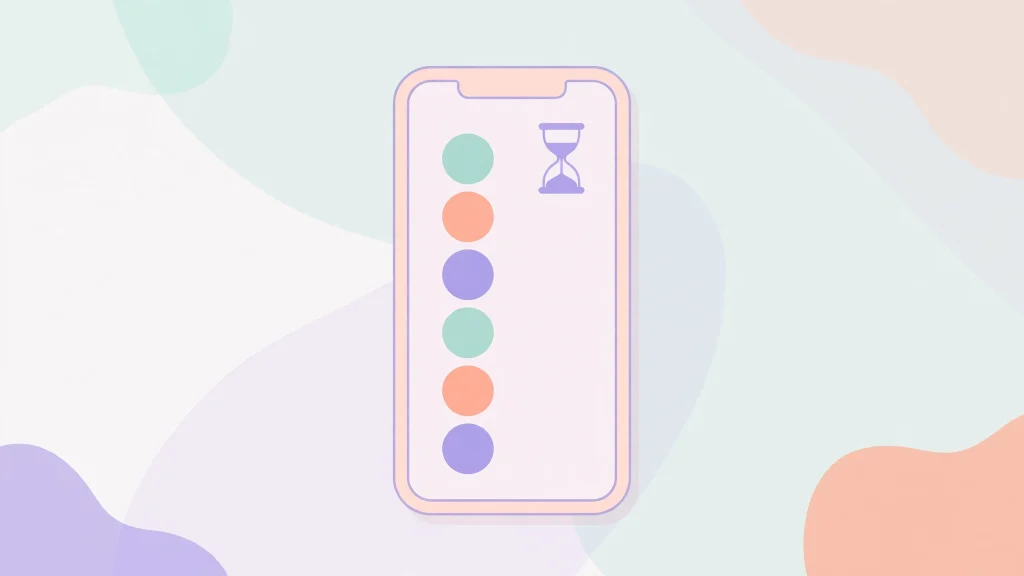
Can Someone See That You Viewed Their Highlight?
Now flip the question around, because this is the part most of you actually care about. If you open someone’s highlight, can they see your name?
It depends on one thing only: how old the story inside that highlight is.
If it was posted less than 48 hours ago, your username shows up in their viewer list. If it was posted more than 48 hours ago, your view leaves no trace at all.
That is why older highlights are the safe ones. A highlight made of stories from weeks or months ago has no live viewer list, so the owner has no way of knowing you watched it.
But watch out for fresh highlights. If someone posts a story today and adds it to a highlight right away, that clip still has a live viewer list. Wait two days before opening it if you want to stay unseen.
And here is the cleanest option of all. A no-login viewer like the one I built never touches your account, so there is no username to record in the first place.
If you want zero trace, use an Instagram viewer without login, which never signs you in. My guide on how to view Instagram highlights anonymously walks through it step by step.
I explain the full story-viewer mechanics in my guide on can someone see that you viewed their story, and the same rules apply to highlights.
One related worry is screenshots, and my guide on does Instagram notify when you screenshot a story answers that one too.
What No App or Website Can Do After the Window Closes
Let me be straight with you, because this is where the scams live. No third-party app or website can show you who viewed your highlights after the 48-hour window closes.
Instagram does not expose that data through its API. Any tool that claims it can recover deleted viewer lists is fabricating results or trying to steal your login. I have tested enough of these tools while building anonimogram to know the pattern by heart.
The same goes for apps that promise to show you who viewed your profile. Instagram does not share that either. If an app asks for your password to reveal viewers, close it and walk away.
The honest rule is simple. If Instagram itself cannot show you the list anymore, nobody else can either. If you worry about getting caught, my guide on can someone tell if you use a story viewer covers the four mistakes that actually give people away.
The Paid Preview Option Instagram Now Sells
There is one new twist worth knowing about. A November 2026 guide reports that Instagram now sells a paid preview feature called Instagram Plus Story Preview. It lets subscribers peek at a story without appearing in the viewer list or the view count.
I have not tested this myself, so I am passing it on as reported, not as a promise. But if it works as described, it is the only official way to watch a fresh story without leaving your name behind.
Everything else that promises the same thing for free is either a no-login viewer, which is honest about what it does, or a scam. There is no middle ground here.
My Honest Take as the Person Who Built Anonimogram
I built anonimogram because I was tired of viewer sites that lied to people. Survey walls, fake login forms, promises about private accounts. All of it felt wrong to me, so I built one honest tool instead.
The 48-hour rule is a perfect example of why honesty matters. A dishonest site would sell you a viewer-history recovery tool for five dollars a month.
I would rather tell you the truth for free: the list is gone, and no one can get it back.
So check your highlights early, screenshot the list if it matters to you, and do not pay anyone who promises to recover it.
You can also watch stories the same way, and my guide on how to view Instagram stories without an account covers that. That is the whole trick, and now you know it too.
Frequently Asked Questions
Can you see who viewed your highlights after 48 hours?
No. After 48 hours from the original story posting time, Instagram permanently removes the viewer list. The highlight still plays, but the names are gone and no app can recover them.
Does the 48-hour clock start when I add the story to a highlight?
No. The clock starts when the original story was posted. Adding it to a highlight later does not reset the timer or extend it by a single minute.
Can I see who viewed a single clip inside a highlight?
Yes, as long as that clip is still inside its own 48-hour window. Open the highlight, go to the exact clip, and tap Activity or Seen by. Each clip has its own list.
Can someone see if I view their highlight anonymously?
If the stories inside are older than 48 hours, no. The viewer list has already expired, so your view is not recorded. If any story is fresher than 48 hours, your username will appear in their list.
Do Business accounts see highlight viewers after 48 hours?
They see totals, not names. Instagram Insights keeps reach and impressions for old stories, but the list of usernames disappears after 48 hours for every account type.
Can a third-party app show me old highlight viewers?
No. Instagram does not share viewer data through its API after the window closes. Any app that claims otherwise is making it up, and many of them exist only to harvest logins.
Does watching a highlight twice show up twice?
No. Instagram records that you viewed it, not how many times. Watching the same clip again does not add your name twice. The list is ordered by recency, and my guide on Instagram story viewers order explains how the list is sorted.
Can I see who viewed my highlights on desktop?
Yes. Open instagram.com, go to your profile, click the highlight, and click Seen by in the bottom left corner. It works the same as the app while the 48-hour window is open.
Try the public Instagram viewer
Search any public profile — no account or login required.
Related articles
Best Anonymous Instagram Story Viewer in 2026 (Tested by a Fellow Tool Builder)
I tested the top anonymous Instagram story viewers in November 2026 and ranked 7 of them. Free, no login, no signup. See which ones actually worked.
Why Can’t I See Someone’s Instagram Story? 7 Honest Reasons (2026)
You tap the story ring and nothing loads. I explain the 7 real reasons you cannot see someone’s Instagram story and the one test that shows which one it is.
Is IGExport Safe? The Honest 2026 Review (From a Fellow Tool Builder)
Is IGExport safe? I tested the story downloader on Nov 22, 2026 and found three products sharing one name. Here is my honest verdict.