How to Download Instagram Highlights Without an Account (2026)
You found a highlight you want to keep. Maybe it’s a travel album a friend pinned years ago, or a recipe series you keep going back to, and you know it could vanish the day the owner edits their profile.
Here’s the good news. If the profile is public, you can save those highlight slides to your own device without an Instagram account, and nobody gets told.
I tested the tools myself on November 25, 2026, so let me show you which ones actually return the files and which ones waste your time.
The Short Answer First
Yes, you can download Instagram highlights without an account, as long as the profile is public. You need either the highlight link or a tool that opens highlight albums from a username.
Then you save each photo as a JPG or each video as an MP4.
Private highlights are a hard no. No website, app, or extension can pull them without an approved follow, and any tool that promises otherwise is lying to you. I’ll show you the honest path and the traps to skip.
That’s the same promise behind every Instagram viewer without login, and it holds for highlights too. The tool never touches your account, so your name never reaches any list.
What a Highlight Actually Is
A highlight is a story the owner chose to pin under their bio. A normal story disappears after 24 hours, but a highlight stays until the owner removes it, so it’s the only story content with a long life.
That matters for downloads because a highlight has its own link, shaped like the address below. Some tools need that link. Others work from the username alone and show you every album on the profile.
instagram.com/stories/highlights/17900000000000000
In my experience building anonimogram, this is the part most guides skip. They tell you to paste a username and then act surprised when the tool shows today’s stories and no highlights. The album step is the whole trick.
The One Rule Before You Start
Public only. That’s the rule for everything in this guide, and it’s the same rule I built anonimogram on. If you can see the highlight while logged out, a no-login tool can fetch it too.
If the profile is private, the highlight is visible only to approved followers. No download tool changes that, and I wouldn’t trust one that claims it can. Keep that test in your pocket. It spots scams in seconds.
If you only want to watch first, you can view Instagram highlights anonymously before you save anything. Watching costs nothing and tells you whether the album is even worth keeping.
What I Tested on November 25, 2026
I checked each tool from my own connection today and wrote down exactly what I saw.
A page that loaded gets a plain yes. A page that blocked my test connection is marked as blocked, which is common for datacenter addresses, so treat those as untested rather than dead.
| Tool | What it offers | What I saw today |
|---|---|---|
| SaveStories | Highlight albums from a username, whole album as one ZIP | Loaded |
| ReelDown | Highlight link paste, Download All, JPG and MP4 | Loaded |
| GramSnap on StoriesIG | Username search, stories and highlights with a download button | Loaded |
| FastDL | Highlight downloads, partly link based | Loaded |
| InstaFinsta | Highlights among stories, reels, and downloads | Loaded |
| Mollygram | Stories and highlights in one place | Loaded |
| Dumpor | Public profile browsing with highlights, now on dumpor.io | Loaded |
| AnonyIG | Anonymous story and highlight viewing | Loaded today to its English page |
| SSSInstagram | Story and highlight downloads | Blocked my test connection |
| InstaSuperSave | Highlight downloads | Blocked my test connection |
| IGram World | Used to be a viewer and downloader | Blocked my test connection |
If you want my full ranking across the tools I trust most, read my best anonymous Instagram story viewer guide. It ranks the same names on safety and reliability, not on who shouts loudest.
Method 1: Download With a Highlight Link
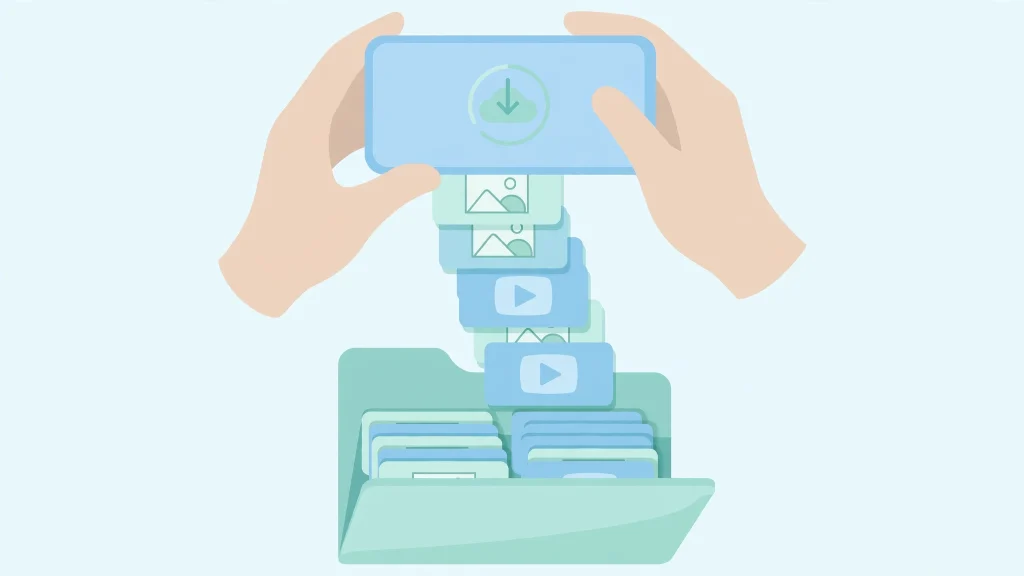
This is the most reliable method, and it’s the one I recommend first. A highlight link points straight at the album, so the tool has nothing to guess.
- Open the highlight on Instagram, tap the three dots, and choose Copy link. On a computer, copy the address from the browser bar.
- Paste the link into the tool and press Download. ReelDown takes this exact link shape, and so do most dedicated highlight downloaders.
- Wait for the album to load, preview the slides, then save one slide or press Download All for the whole album.
One tip from my own testing. If the tool says it can’t find the highlight, check that the link still has the number at the end. A profile link or a story link won’t work here, and that mix-up causes most failures.
Method 2: Download From a Username
Some tools skip the link step and open the albums from a username. SaveStories is the clearest example I found. You type the username, the highlight circles appear above the story grid, and you open the album you want.
From there you preview each slide and press Save under one item, or Save all to get the whole album as one ZIP file. The ZIP is built in your browser, so nothing is uploaded anywhere, and the file is named after the album.
This method is slower when a profile has many albums, because you open each one by hand. But it’s the friendliest way to grab a whole album in one go, and it works the same on a phone and a computer.
It uses the same no-login idea as my guide to download Instagram stories without an account, only the target is an album instead of a 24-hour story.
The same idea works for short video too, and I covered it in my guide to download Instagram reels without an account.
Method 3: Save One Slide at a Time
When a tool shows the highlight but has no album download, save the slides one by one. Open a slide at full size, use its own Save button, and move to the next. It’s slow, but it never fails because of a ZIP step.
GramSnap on StoriesIG works this way. Each photo and clip has its own download button, and the file saves at the resolution it was posted in. If you only need two or three slides, this is honestly the fastest path.
If you only want to watch a reel first, you can view Instagram reels without an account and decide later whether it’s worth saving. No download starts until you say so.
How to Download Highlights on iPhone
Open Safari, not the Instagram app, and go to the tool you picked. Paste the highlight link or the username, open the album, and tap the download button on a slide.
Your file lands in the Files app under Downloads. From there you can move photos and videos into the Photos app. A ZIP album opens the same way, and you tap it once to unpack it.
If Safari blocks the download, check that pop-ups are allowed for the site, then try again. That one setting fixes most iPhone failures I hear about.
How to Download Highlights on Android
Open Chrome and follow the same steps. Files land in the Downloads folder, and a ZIP album unpacks with the Files app or any file manager you already have.
Android is the smoothest of the three for this job in my experience, because Chrome hands the file straight to your storage with no extra step. If a download stalls, switch off any data saver for the minute it takes to finish.
How to Download Highlights on a Computer
A computer is the best choice for a big album, because a 40-slide ZIP downloads in one click and you can see every file the moment it lands in your downloads folder.
Copy the highlight link from the browser address bar while the highlight is open, paste it into ReelDown or a similar tool, and press Download All. The photos arrive as JPG files and the videos as MP4 files.
Keep the browser tab open until the last file finishes. Closing it early is the classic way to end up with half an album and no idea which slides are missing.
What You Actually Get
You get the files Instagram serves for that highlight, at the same resolution, with no watermark added by the tools I tested. Photos save as JPG files and videos save as MP4 files, in the same order as the album.
A whole-album ZIP keeps the album name as the file name, which is handy when you save more than one album from the same profile. Single slides save under their own file names, so rename them right away or you’ll mix up albums later.
One honest limit. You get the media, not the extras. Link stickers, polls, and question boxes don’t come along as usable files, and a music track on a video slide stays inside the video file only.
5 Fixes When a Highlight Won’t Download
1. Check the link shape first
Make sure the link is a highlight link, with the stories highlights path and a number at the end.
A profile link opens the profile, not the album, and a story link expires with the story. Paste the wrong link and every tool fails the same way.
2. Confirm the profile is still public
Owners flip accounts to private without warning. Open the profile in a private browser window. If you see a private notice, no no-login tool can help, and that’s the answer, not a bug.
3. Try a different tool before you try again
Instagram throttles some tools for a while, so a tool that worked yesterday can fail today. When one tool stalls, open a second one from my table above. In my testing, switching tools fixed more failures than refreshing ever did.
4. Wait out the rate limit
If a tool loads the album but the download button spins forever, close the tab and come back in an hour. Hammering the same button just extends the block, and I’ve seen people lock themselves out for a day this way.
5. Clear the cache and allow the download
A stale cached page can show an old error after the tool is already fixed. Hard refresh the page, allow pop-ups and downloads for the site, and try once more.
If it still fails, the tool is down and the honest move is to use another one.
The Scams to Skip
Any site that promises private highlight downloads is lying. Private means Instagram only shows that content to approved followers, and there’s no public page for a tool to fetch.
I’ve said this in nearly every review I write, because it’s the single most common trap in this niche.
Survey walls are the second trap. A real downloader shows you the album before it asks for anything.
If a site demands a survey, an app install, or a login before it shows a single slide, close the tab. You won’t get the highlight, and you may hand over more than you meant to.
The third trap is the fake download button. Ad-heavy pages hide the real button among lookalikes, and one wrong tap opens a new tab full of offers. On a clean tool, the download button sits under the slide you’re viewing, not in a banner.
If you want the full safety picture, start with my answer to is it safe to use an Instagram story viewer, which covers the same traps for viewers. The red flags are identical, and they are worth learning once.
Copyright and Repost Rules
Downloading a highlight doesn’t give you the rights to it. The photos and videos still belong to the person who posted them, so keep them for personal use and ask before you repost anything.
That rule matters most for creators and brands. Saving a competitor’s highlight for research is one thing, and reposting their work as your own is another. When in doubt, ask the owner. A quick message costs you a minute and saves you a real headache.
Your own highlights deserve the same care. Save your own albums now and then, because Instagram keeps no second copy for you, and an album can vanish after an account change or an accidental delete.
A deleted highlight is gone for good, and I explained why in my guide on can you see deleted Instagram stories.
Frequently Asked Questions
Can I download Instagram highlights without an account?
Yes, when the highlight sits on a public profile. Paste the highlight link into a no-login downloader, or open the albums from the username, and save the slides as JPG or MP4 files. No account, no app, and no login needed.
Can I download highlights from a private account?
No. Private highlights are visible only to approved followers, and no no-login tool can fetch them. Any site that promises private highlight downloads is a scam, so close the tab and keep your login details to yourself.
Do I need the highlight link, or is a username enough?
Both work, but the link is more reliable. The link points straight at one album, while a username search has to load every album on the profile first. If a username search shows no highlights, try the link.
What format do downloaded highlights save as?
Photos save as JPG files and videos save as MP4 files, at the same resolution Instagram serves. A whole album usually arrives as one ZIP file named after the album.
Will the account owner know I downloaded their highlight?
No. A no-login tool never touches your Instagram account, so your name never reaches the viewer list and no notification is sent. The download happens on your device only.
Can I download a whole highlight album at once?
Yes, on tools that offer it. SaveStories zips the open album with one Save all button, and ReelDown has a Download All button. Single-slide tools need one tap per slide.
Why does the tool say the highlight can’t be found?
The usual causes are a wrong link, a private profile, or a highlight the owner deleted. Check the link shape first, then open the profile logged out to confirm it’s still public, then try a second tool.
Is downloading Instagram highlights legal?
Downloading a public highlight for personal use is generally fine, but reposting someone else’s work without permission isn’t. The files still belong to the creator, so keep them for yourself or ask before you share them.
Try the public Instagram viewer
Search any public profile — no account or login required.
Related articles
Can You View Instagram Stories Without Following Someone? The Honest 2026 Answer
Yes, if the account is public. Here is how viewing Instagram stories without following actually works, what the poster sees, and the private-account limit.
Which Instagram Story Viewer Has the Fewest Ads? (Tested November 2026)
I checked the ad load on the most popular anonymous story viewers. Here is the honest ranking, from the quietest tools to the ones that bury you in popups.
Can You See Deleted Instagram Stories? The Honest Answer (2026)
Can you see deleted Instagram stories? Honestly, it depends on whose story it was. I explain the 24-hour and 30-day rules, Highlights, and the scam to avoid.