
How to See Someone’s Close Friends Story Without Being Added (2026 Guide)
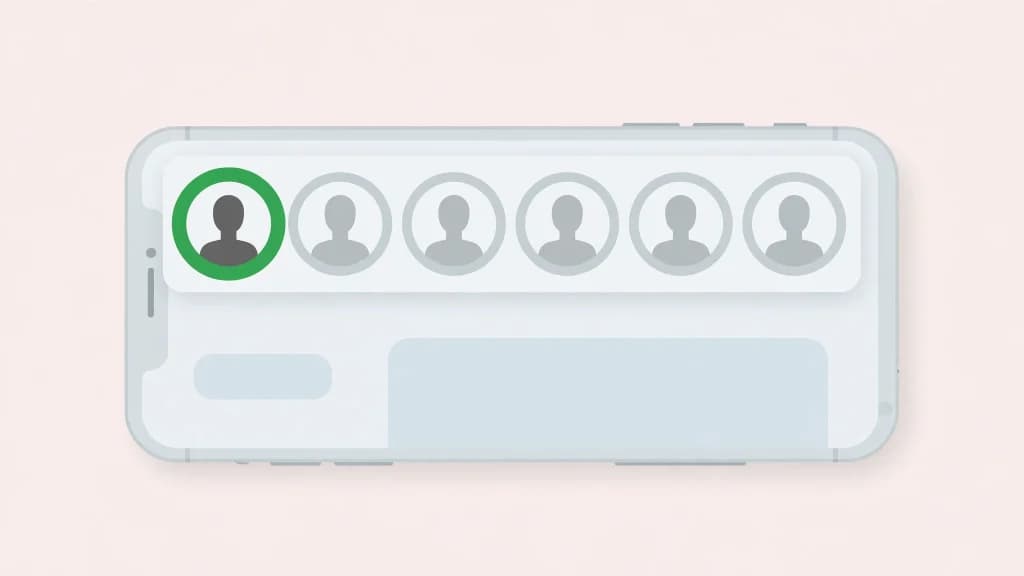
You saw it. That green ring around someone’s story bubble, sitting right there in your story tray, and you couldn’t tap it. You aren’t on their Close Friends list, but you really want to see what they posted.
Sound familiar? Okay, let me be straight with you from the very first paragraph. If you aren’t on that list, you can’t see the story. No app can show it to you. No website can unlock it. No trick from a YouTube tutorial will sneak you in.
I know that’s not the answer you came for. Stick with me anyway, because I’m going to explain exactly why this wall can’t be climbed, show you the scams waiting for people who try, and tell you what actually works instead. I’m not guessing here. I built an Instagram story viewer, and I work with Instagram’s public data every single day. I’ve tested this exact question from the builder’s side, so here’s the honest breakdown.
The Short Answer
You can’t see someone’s Close Friends story without being added. Period. Instagram locks these stories on its own servers, and the story is only ever sent to accounts on the person’s list. If your account isn’t on it, the story never reaches your device at all.
And before you go hunting for a tool that promises otherwise, let me save you the trouble. I’ve looked at this from every angle while building my own viewer. There’s no back door. Anyone who tells you different is selling you something, and I’ll show you exactly what in a minute.
What the Green Circle Actually Means
That green ring is Instagram talking to YOU, not to the person who posted. It’s a little badge that says this story went to a smaller list, and you made the cut. If you can see the green ring, you’re on their Close Friends list. Take it as a compliment, dear.
Now here’s the part people miss. If you AREN’T on the list, you see nothing. No ring, no hint, no message saying someone posted something you can’t see. Instagram gives you zero signal. A Close Friends story you can’t access looks exactly like a quiet profile that posted nothing today. That silence is deliberate.
Reading the Ring: A Quick Decoder
- Rainbow gradient ring: a normal story you haven’t watched yet.
- Solid green ring: a Close Friends story, and you’re on the list.
- Faded grey ring: a story you’ve already watched.
- No ring at all: nothing visible to you right now. This is also what a Close Friends story looks like from the outside.
Why No Tool Can Unlock These Stories (Not Even Mine)
Let me pull back the curtain for a second, because once you see how this works, every scam in this space becomes laughably obvious.
When you open Instagram, the app asks Instagram’s servers a simple question: what is THIS account allowed to see? The server checks your username against the poster’s Close Friends list. On the list? Here’s the story. Not on the list? You get nothing. The story file never touches your phone. You aren’t blocked from viewing it. It simply never arrives.
Here’s the thing most guides won’t tell you. Viewer tools like mine work by asking Instagram for PUBLIC content. A public story is served to anyone, even a tool that never logs in. That’s the whole trick behind anonymous viewing, and it’s completely legitimate. I explain exactly how viewing stories without an account works in a separate guide.
But a Close Friends story is never public to anyone outside the list. There’s no public door to knock on. For a tool to show you one of these stories, it would need the login session of someone ON the list. At that point it isn’t a viewer tool anymore. It’s just someone else’s account.
In my personal experience building our story extractor, this was one of the first walls I hit. I pointed it at accounts with Close Friends stories and watched what the servers returned for outsiders. The answer was always the same: nothing. Not an error, not a locked preview. Just nothing. That’s the entire security model, and honestly, it’s solid.
The “Close Friends Story Viewer” Scams You Will Meet
Because the demand is enormous and the real answer is disappointing, scammers have built a whole industry around fake promises. Search for a way to see Close Friends stories and you WILL run into these. Let me walk you through the playbook so you can spot it in two seconds.
1. The Fake Viewer Tool
The site looks clean. A search box, a username field, maybe even a blurred thumbnail to hook you. You type the name, a loading bar spins, and then comes the catch. Complete a survey. Install an app. Verify you’re human. You do it, and the story never appears, because it never existed on their end. The survey commission or the app install bounty was the whole point. You were the product.
2. The “Human Verification” Loop
This is the nastiest one. You finish one survey and it asks for another. Then another. I’ve seen these loops run five deep, each step paying the scammer while you get absolutely nothing. Worse, you’ve now handed your email or phone number to people you should never trust with it.
Here’s my rule of thumb, and I give it to every reader: if a viewer tool asks you for anything beyond a username, walk away. My own tool asks for a username. That’s it. No login, no survey, no app install. That’s what a legitimate tool looks like, and anything that demands more is telling on itself.
3. The Fake Login Page
Some sites ask you to log into Instagram “to unlock the story.” Real talk: never type your Instagram password into any site that isn’t instagram.com. That’s a credential harvest, plain and simple. I’ve watched people lose their accounts this way and come to my site afterward asking for help. Once your password is gone, there’s very little anyone can do. If you want to know what a safe story viewer actually looks like, I wrote that up too.
Red Flags: My Personal Checklist
- It promises to show private or Close Friends content. Instant disqualification.
- It asks you to complete surveys or install apps before showing anything.
- It asks for your Instagram login anywhere except instagram.com.
- It shows a fake progress bar or a blurred “preview” of the story.
- It has no about page, no contact info, no real company behind it.
- All of its reviews live on its own website.

The Only Legitimate Ways In
Okay, so what CAN you do? Honestly, the list is short. But at least everything on it works.
1. Get on the List
The actual answer. If you follow the person and you’re genuinely close, they might add you. There’s no request button for this, and Instagram sends no notification when someone is added or removed. It’s entirely the poster’s choice, and that’s how it should be.
2. Watch Their Public Stories Instead
If their account is public, their normal stories are visible to everyone. This is exactly what my tool was built for. Type the username, watch the public stories, no account needed, and your name never lands on a viewer list. What you see is everything they chose to share publicly. Close Friends stays closed, and I respect that boundary in how I built the tool.
3. A Second Account Changes Nothing
People ask me this one constantly. Listen: making a second account doesn’t help, because Instagram checks the Close Friends list, not how mysterious your account is. If your second account isn’t on the list either, it sees exactly the same nothing. The list is the whole game.
Myths That Won’t Die
“Airplane Mode Lets You Sneak a Peek”
No. Airplane mode only works on stories your app already downloaded, and a Close Friends story never downloads to your device unless you’re on the list. There’s nothing cached to sneak a peek at. This trick is dead on arrival here.
“They’ll Know If I Screenshot It”
Different worry, same answer: no. Instagram doesn’t send screenshot notifications for stories. Not normal stories, not Close Friends stories. The only screenshot alerts on Instagram are for disappearing photos and videos in DMs. I’ve written a full breakdown of screenshot notifications if you want every detail.
Frequently Asked Questions
What does the green circle on an Instagram story mean?
It means the story was shared with the poster’s Close Friends list, and you’re on that list. Only people on the list ever see the green ring. Everyone else sees nothing at all.
Can I see who is on someone’s Close Friends list?
No. The list is completely private. Only the owner can see it, and even people on the list can’t see the other members. There’s no setting or tool that reveals it.
Does Instagram notify someone when they add or remove me from Close Friends?
No notifications go out either way. People usually figure it out because the green ring appears or stops appearing on that person’s stories.
Can a story viewer tool show Close Friends stories?
No. Not mine, not anyone’s. Close Friends stories are served only to list members, so there’s nothing public for a tool to fetch. Any site claiming otherwise is running a scam, usually a survey loop or a credential harvest.
Their account is public. Can I see their Close Friends stories with a viewer?
No. Public account or not, Close Friends stories go only to the list. The good news is their public stories are fully viewable with any anonymous viewer, including mine, with no account and no trace.
If I’m on the list, will they know I watched their Close Friends story?
Yes. Watching in the Instagram app puts your name on their viewer list like any other story. Anonymous viewer tools can’t access Close Friends stories at all, so there’s no anonymous option here. If you’re on the list and you watch, they can see that you watched.
Can I ask to be added to someone’s Close Friends?
There’s no request button in the app. You can ask the person directly, but it’s entirely their decision. And honestly, if you have to ask, the answer tells you something about where you stand.
The Bottom Line
Here’s where I land, as someone who builds in this space every day. Close Friends is one of the few Instagram features that works exactly as advertised. The green ring means what it says. Nobody’s peeking in from outside, and every site that tells you otherwise is selling you something.
If what you want is to browse public stories without an account and without your name showing up on viewer lists, that problem is solved. That’s literally why I built anonimogram. But Close Friends? That door only opens from the inside, dear, and no tool on earth has the key.
Try the public Instagram viewer
Search any public profile — no account or login required.
Related articles
How to View Instagram Profile Pictures in Full Size (2026)
You can view Instagram profile pictures in full size without an account. I tested 4 methods that work for public accounts, and explain why no tool can unlock private ones.
How to View Instagram Posts Without an Account (2026 Guide)
Can you view Instagram posts without an account? Yes. I explain the 4 methods that actually work in 2026, Instagram’s login-wall limits, and the private-account scams to avoid.
Instagram Story Viewers Order: Why the Same Person Is Always at the Top (2026)
Why is someone always at the top of your Instagram story viewers? I explain how the viewer order actually works, the 50-view myth, and what the list can never tell you.