
Instagram Viewer Without Login: How Anonymous Browsing Works (2026)
You want to look at an Instagram profile, but you don’t have an account. Or maybe you do have one, but you don’t want it anywhere near what you’re about to open.
So you search for an Instagram viewer without login, and you get a page full of tools promising anonymous browsing. Here’s the question nobody answers properly. How does that even work? Like, technically. What is the tool actually doing when you type in a username?
Let me explain. I’m the person who built anonimogram, and I built the whole thing around no-login viewing from day one. In my personal experience, once you understand the mechanics, the scams get really easy to spot.
The Short Answer First
Yes, an Instagram viewer without login really can show you public profiles, stories, posts, and reels with no account. It works because the tool’s own server requests Instagram’s public content on your behalf. Instagram never sees your account because you never logged in.
The catch is that it only works for public accounts. Private profiles stay private, no exceptions. Any site that claims otherwise is running a scam, and honestly, that warning alone will save you more trouble than anything else in this article.
Why People Want a Viewer That Needs No Login
I’ve watched this search for years, and the reasons are more normal than you’d think. Some of you guys just don’t have Instagram. No account, no app, no interest in making one, but you still want to see a public profile someone mentioned.
Others have accounts but want privacy. Maybe you’re checking a competitor’s page for work. Maybe it’s an ex’s profile and you don’t want your name in their viewer list. Maybe you’re a parent doing a quick sanity check on what your teenager is posting publicly.
And then there are the researchers and journalists, who look at public profiles all day without wanting to tip anyone off. Real talk, the no-login demand isn’t shady. It’s just people wanting to look at public content the way they’d read a public website.
How a No-Login Instagram Viewer Actually Works
Okay, this is the part most guides skip, so stick with me. It’s simpler than it sounds, and once you see it, everything else clicks.
Instagram serves public profile content to any visitor, logged in or not. That’s not a hack. That’s just how the platform works. Public means public. When a viewer tool says no login, all it does is request that same public content using its own server instead of your browser.
Here’s the step by step of what happens when you use a tool like mine.
Step 1: You type the username into the tool
That’s it. No email, no password, no phone number. You never create an account and you never hand over credentials. If a ‘no login viewer’ asks you to log in anyway, close the tab. That contradiction is your first red flag.
Step 2: The tool’s server fetches the public profile
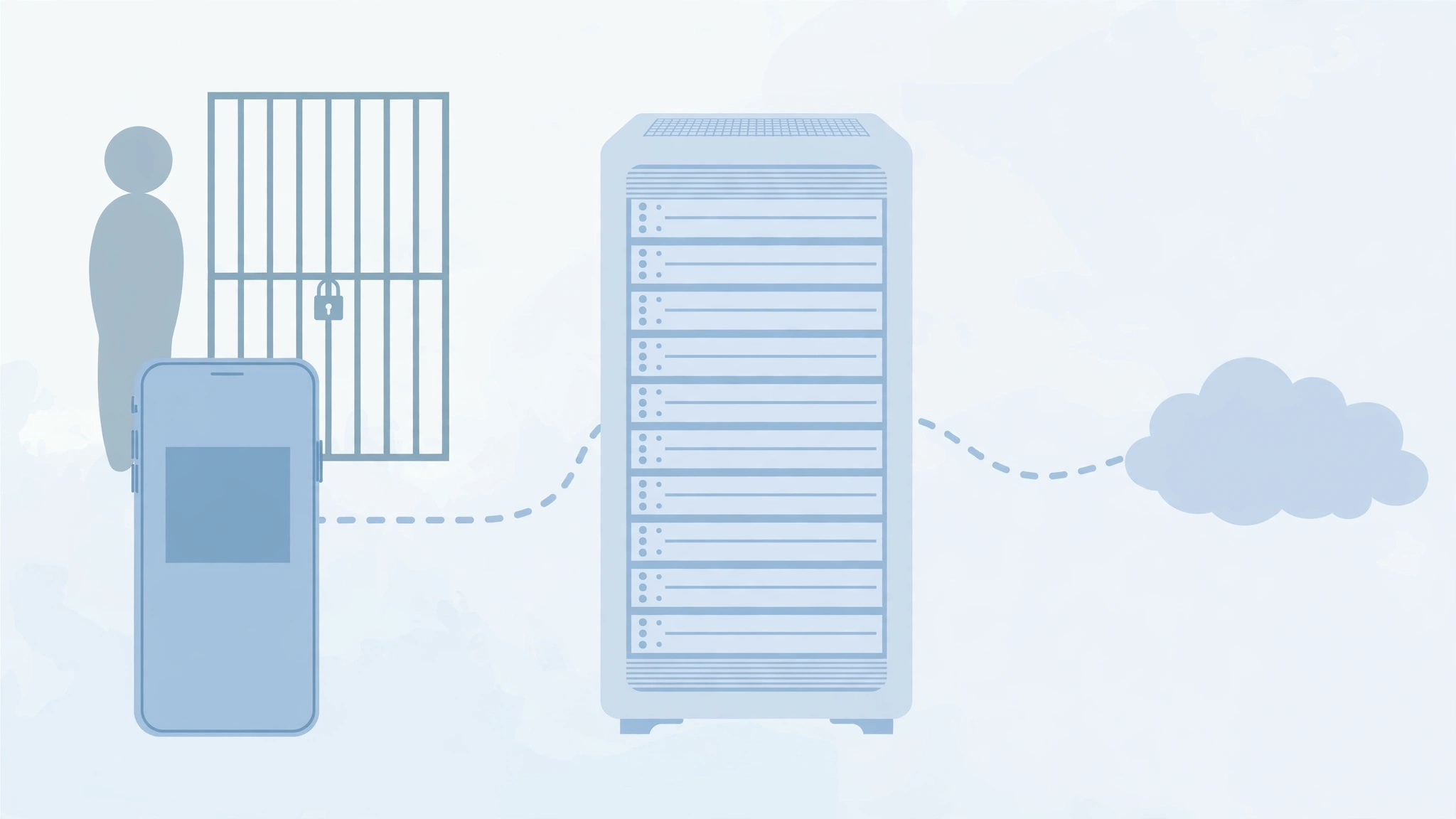
The server sends a request to Instagram for the public data of that username. Stories, profile info, posts, reels, highlights. Whatever Instagram serves to a logged-out visitor, the tool collects. Your phone or computer never touches Instagram directly.
Step 3: The content comes back to you
The server shows you the results in its own clean interface. You browse stories, scroll posts, check highlights. Instagram’s servers only ever saw the tool’s server making the request. Your identity was never part of the conversation.
When I was building anonimogram’s fetching layer, one thing I learned surprised me. Instagram doesn’t distinguish between a curious human and a tool’s server when serving public content. It just serves it. The whole ‘viewer’ business is basically a middleman that keeps you out of the login system.
What Instagram Sees and What It Doesn’t
This is where the confusion lives, so let me lay it out plainly.
| Action | What Instagram knows | Who appears on the viewer list |
|---|---|---|
| You view a story through a no-login viewer | A tool’s server requested public content | Nobody. Your name never enters the system. |
| You view a story while logged into your account | Your account viewed that story | You. Instagram records your username for the owner to see. |
| You view a profile through the tool without stories playing | Again, just a server request | Nobody. Profile views are never tracked publicly anyway. |
| You like or comment through a tool | Nothing, because it can’t happen | Nobody. No-login viewing is always read only. |
My guide on whether someone can see that you viewed their story goes deeper into the viewer list mechanics if you want the full breakdown.
3 Myths About No-Login Viewing That Refuse to Die
I’ve seen these three claims bounce around forums and comment sections for years. Let me kill them properly.
Myth 1: ‘A viewer can show you private accounts’
No. Never. Not in 2026, not ever through a website. Private account content is locked behind Instagram’s follow approval system. The server sends back nothing because there’s nothing public to send.
Every single ‘private Instagram viewer’ is a scam, usually harvesting logins or running you through survey walls. I covered the warning signs in my safety article on whether Instagram story viewers are safe, and trust me on this one, that rule will never change.
Myth 2: ‘Browsing without a login is somehow illegal’
It’s not. You’re looking at content the account owner chose to make public. Instagram serves it to logged-out visitors by design. Viewing public content without an account is about as illegal as reading a public newspaper.
Where you’d actually cross a line is downloading someone’s content and reposting it as your own, because that’s copyright. Viewing is the safe part. Reposting is the risky part. Simple distinction, but people mix them up constantly.
Myth 3: ‘Instagram sends screenshot notifications’
For stories, posts, and reels, Instagram does not notify the account owner when you screenshot. Not in the app, and definitely not through a viewer tool where you’re not even logged in. The tool has no session to report and your account was never involved.
There are narrow exceptions like disappearing photos in DMs, but for normal story viewing through a no-login tool, screenshots are completely silent. Sound familiar? That’s one of the most searched questions in this niche, and the answer is reassuringly boring.
The Honest Limits (What I Won’t Pretend)
Let me be straight with you, because every article on this blog carries the same honesty rule.
First, no-login viewing is read only. You can look, but you can’t like, comment, reply to stories, vote in polls, or follow anyone. Interaction requires an account. That’s by design, and honestly, that’s fine for most of you guys.
Second, private accounts are completely off limits. I know I said it already, but it bears repeating because scam sites depend on you forgetting it. If the profile is private, no tool on earth opens it. That’s not a limitation of my tool. That’s how Instagram works.
Third, tools can hiccup. When Instagram rate limits a viewer tool’s server, pages may load slowly or show an error for a few minutes. In my experience building this, it usually clears on its own. If a profile won’t load, double check the username spelling first, then wait a bit and retry. Nine times out of ten, that’s all it takes.
How to Browse Safely Without a Login: My Checklist
Here’s what I personally check before trusting any no-login viewer, including ones I didn’t build.
- It never asks for your Instagram login. A no-login tool asking for your login is a contradiction, and contradictions mean trouble.
- It never asks for email signup, credit card, or ‘human verification’ surveys. Real anonymous browsing needs none of that.
- It doesn’t promise private account access. That promise is the single biggest scam signal in this niche.
- The site has real legal pages. Privacy policy, terms, DMCA, contact. Scam sites hide. Honest sites stand behind their words.
- It loads public content without downloading anything to your device first. If a site wants you to install an app or extension just to view a story, walk away.
I’ve run hundreds of profile lookups through our own tool while testing, and the pattern holds. Legit tools are boring. They show the content, ask for nothing, and get out of the way. Anything flashy or demanding deserves your suspicion.
Why I Built Anonimogram With No Login From Day One
Here’s the thing. I didn’t add no-login viewing as a feature. It was the entire point.
When I started building, dear, I kept landing on viewer sites that demanded logins, email addresses, and survey completions before showing a single story. The sites that were supposed to protect your privacy were the ones harvesting it. The irony drove me crazy, so I built the opposite.
No account system. No login forms anywhere. No credentials stored because there are no credentials to store. You type a username, you see public content, you leave. That’s the whole product, and it’s the whole product on purpose.
The highlights viewer came later because you guys kept asking for it, and my guide on viewing highlights anonymously covers that side in detail. But the core philosophy never changed. Your identity stays with you. Instagram only ever meets my server.
Frequently Asked Questions
Can I really view Instagram without an account in 2026?
Yes. Public profiles, stories, posts, reels, and highlights are all visible to logged-out visitors. A no-login viewer just makes browsing that public content easier by packaging it in a clean interface with no login wall.
Do I need to download an app to use a no-login Instagram viewer?
No, and you shouldn’t have to. Legit viewers work right in your browser. If a site pushes you toward an app download or browser extension before showing anything, that’s a red flag. Walk away.
Can the account owner tell I viewed their profile through a viewer?
No. When you browse through a no-login viewer, Instagram only sees the tool’s server requesting public content. Your account was never involved, so there is nothing for Instagram to record and nothing for the owner to see.
Does a no-login viewer work on iPhone and Android?
Yes. Since everything happens in your browser, it works on any device with a web browser. No app needed, no platform restrictions. I’ve tested this on phones, tablets, and desktops, and it behaves the same everywhere.
Can a no-login viewer show me who viewed my stories?
No. Viewer lists are tied to Instagram accounts, and since you’re not logged in, there is no account to attach data to. If you want your own story’s viewer list, you’ll need to check it from inside the Instagram app while logged in.
Why do some no-login viewers stop working sometimes?
The usual cause is Instagram rate limiting the tool’s server during heavy traffic, which is a temporary thing. The other common cause is a misspelled username. Wait a few minutes, check the spelling, and try again. If the account went private, no viewer will load it, and that’s expected.
Is it safe to use an Instagram viewer without login?
As long as the tool never asks for your credentials, personal details, or downloads, yes. The biggest safety rule is simple. Your login stays yours. A tool that never asks for it can’t misuse it. My full safety breakdown is in the guide on whether story viewers are safe.
Can I view private Instagram accounts without logging in?
No, and this is the line I will never blur. Private accounts are locked behind Instagram’s follow approval. No website, app, or tool can show you private content without an approved follow. Any site claiming it can is a scam. Full stop.
The Bottom Line
A no-login Instagram viewer works by fetching public content through its own server, so your account stays completely out of the picture. That’s the whole trick. There’s no magic, just a middleman that never asks for your identity.
Use it for public profiles, stay away from anything promising private access, and never hand over your login to a tool that claims it doesn’t need one. Try it on anonimogram and see for yourself. Type any public username and browse. No account, no viewer list entry, no strings attached. That’s exactly how I built it to work.
Try the public Instagram viewer
Search any public profile — no account or login required.
Related articles

How to View Instagram Highlights Anonymously in 2026 (4 Working Methods)
Want to view Instagram highlights anonymously without landing on anyone’s viewer list? I’m the builder of anonimogram, and here are the 4 methods that actually work in 2026, plus the honest limits other guides skip.
How to Download Instagram Stories Without an Account (2026 Guide)
Want to download Instagram Stories without an account? Here’s the honest 2026 answer: live Stories need a login, but public Highlights, posts and Reels can be saved. I walk you through 3 safe methods, plus the scam traps to dodge.
7 Best StoriesIG Alternatives That Work in 2026
StoriesIG down or drowning in ads? I checked 7 working StoriesIG alternatives for anonymous Instagram story viewing in 2026 — no login, no surveys, honest pros and cons.