
Is Mollygram Safe? The Honest 2026 Review
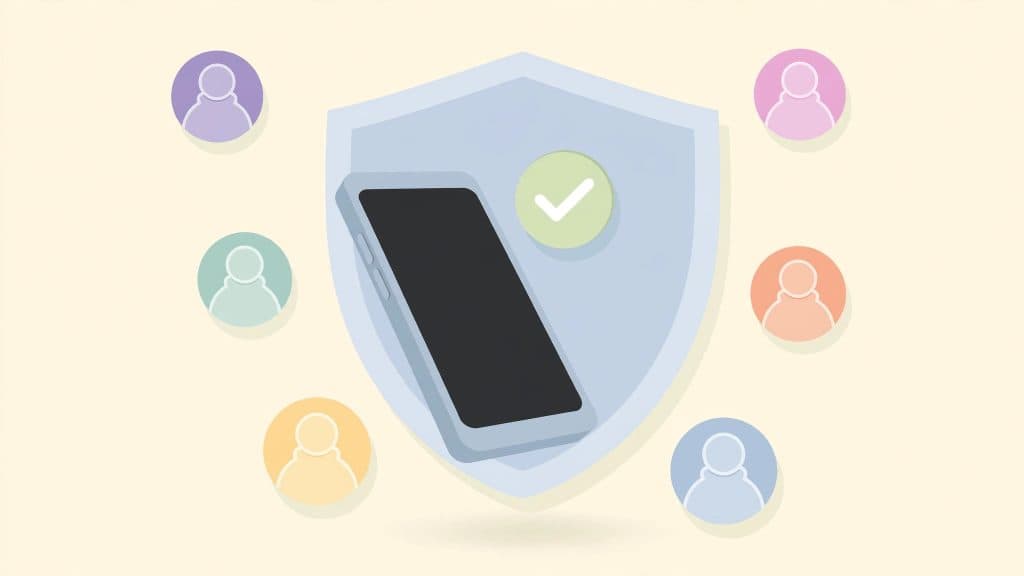
You typed “is Mollygram safe” into Google because you want to check someone’s Instagram stories without showing up on their viewer list. And a smart little voice in your head is asking whether the tool itself can be trusted.
Honestly, good. You should ask that about every free tool in this niche.
I am the guy who built anonimogram, an anonymous Instagram story viewer. I have spent years watching how these sites really work behind the curtain. Let me explain what I found when I looked closely at Mollygram.
Here is the short version so you can decide fast. Mollygram is generally safe for casual viewing of public profiles. It never asks for your Instagram login, which is the single biggest green flag in this space.
But it is still a free ad-supported tool run by strangers, so there are a few real risks you need to know. Stick with me and I will walk you through all of them, plus show you how to spot the fake copycat sites pretending to be Mollygram.
What Mollygram Actually Is
Mollygram is a free web tool that lets you view Instagram stories, posts, reels, and highlights without an Instagram account and without logging in. You type a public username, and it shows you the public content.
That is it. No app to install, no account to create, no password to hand over.
It is one of the older names in this space. Over the years it has been associated with several other viewer brand names like MyStalk, SmiHub, Pixwox, and InstaDP.
Think of it as one service that has worn different jackets over time. The current home most people land on is mollygram.com, which also runs a Spanish version for its huge Latin American audience.
Here is the thing nobody on those hype review sites will say plainly. Mollygram is not magic. It simply fetches content that Instagram already makes public through its web endpoints, and displays it to you.
Anyone with a browser could open that public profile and see the same posts. Mollygram just removes the login requirement and keeps you off the viewer list.
My Honest Verdict: Is Mollygram Safe?
Okay guys, here is my personal take after testing it and studying how it operates. Mollygram is safe enough for what it claims to do: casual anonymous viewing of public Instagram content.
It asks for nothing from you, which means there is almost nothing it can steal from you through the normal flow.
But “safe enough” is not the same as “risk free.” Two things are genuinely worth your attention. First, it runs on ads, and ad networks on free tools sometimes serve junk like aggressive popups or shady redirects.
Second, Mollygram is invisible to the account owner but very visible to its own servers. Your IP address and browsing session get logged like they do on any website. Anonymous to the poster does not mean anonymous to everyone.
Real talk: if you use it for a quick look at a public profile, with an ad blocker on, and you never type your Instagram password anywhere, you will be fine. That is exactly how I would use it myself.
5 Things Mollygram Gets Right
1. It never asks for your Instagram login
This is the big one. The number one way people get their Instagram accounts stolen in this niche is by typing their credentials into a “viewer” that is really a phishing page.
Mollygram does not ask for a login at all. No password, no email, no phone number. When I was building anonimogram, I made the same call: a viewer tool has zero legitimate reason to want your password.
2. It works on public accounts only, and says so
Any site that claims it can show you a private account is lying to you. Full stop. Private content is locked on Instagram’s own servers, and no third-party site can unlock it without the owner’s approval.
Mollygram sticks to public profiles, which is exactly what an honest tool does. That honesty is why I give it credit.
3. HTTPS encryption
The site loads over HTTPS, so the connection between your browser and Mollygram is encrypted. That is table stakes for any site handling web traffic in 2026, but plenty of sketchy clones skip even this.
Worth checking: look for the padlock in your address bar before you use any viewer.
4. No app or software to install
Mollygram runs entirely in your browser. You never download an executable or an APK from a random site, which removes a whole category of malware risk.
I have seen fake “viewer apps” that were just spyware with a nice icon. A browser-only tool sidesteps that trap completely.
5. It is genuinely free with no account
There is no signup wall, no “verify you are human” survey maze, no credit card “for age verification.” Those survey walls are the classic scam funnel in this niche. Mollygram just shows you the content.
Free tools earn money through ads instead, which brings me to the risks.
3 Risks You Should Actually Know About
1. The ads can be aggressive
Mollygram is free because advertisers pay the bills. Most of the time the ads are just banner noise. But ad networks on free tools occasionally let junk slip through.
I am talking about popups that try to open new tabs, fake “your phone has a virus” warnings, or redirects to unrelated offers. This is the most common complaint I have seen about the site.
The fix is simple and I do it myself everywhere: run an ad blocker. A decent blocker removes almost this entire risk category.
If an ad ever asks you to download something or enter personal details, close the tab. That rule applies to every free website, not just Mollygram.
2. Fake clone sites are everywhere
Because Mollygram is popular, scammers build look-alike domains that pretend to be it. Some of these clones add the one thing the real site never does: a login form, or an “unlock private profiles” button that leads to a survey.
If you ever land on a “Mollygram” that asks for your Instagram password, you are not on the real site. Leave immediately.
Always check the domain carefully before you use the tool. Bookmark the real one once you confirm it. I will say it again because it matters: the real Mollygram never asks for your password.
3. The privacy policy is vague and the terms are old
One independent review pointed out that Mollygram’s privacy policy talks in general terms about technical data and third-party providers, and its terms page has carried an old date for years.
I noticed the same vague language myself. This is not unusual for free tools, but it means you should not assume strict data handling.
In practice, treat Mollygram like any website: it can see your IP address and what you looked at on its pages. Use it for casual public viewing, and do not enter anything personal.
That is the honest privacy deal on every viewer tool, including mine.
How I Tested Mollygram (So You Don’t Have To)
When I review a rival viewer, I run the same checklist I use on my own tool. I loaded the site fresh and searched a well-known public profile. Stories, posts, and highlights loaded without any login prompt.
That is exactly the behavior you want. Then I clicked around the ad slots to see how aggressive they get, and I read the privacy and terms pages end to end.
I also checked whether the site tried to push any app download, any browser notification permission, or any “complete this survey to unlock” step. None of that showed up in my test.
That clean funnel is why my verdict is what it is.
One thing I learned while building anonimogram’s own highlights viewer: the tools that stay honest about their limits are almost always the ones that stay safe. Mollygram passed that gut check.
How to Use Mollygram Safely: My Checklist
If you decide to try it, do it the safe way. Here is the exact checklist I follow myself when I test any viewer in this niche.
- Use an ad blocker in your browser before you open the site.
- Double check the domain so you are on the real Mollygram and not a clone.
- Never enter your Instagram username, password, or two-factor code anywhere on the page.
- Never download any app, extension, or file that the ads suggest to you.
- Stick to public profiles. If a viewer promises private accounts, it is a scam.
- Do not grant notification permissions or camera access if the site asks.
- Close the tab if anything tries to redirect you to a survey or a prize page.
Follow those seven rules and you have removed basically every real risk. They take thirty seconds and they protect you on any free tool, not just this one.
Mollygram vs Other Anonymous Viewers
People always ask me how Mollygram compares to the other big names. Here is my neutral take as someone who builds in this space. StoriesIG is the veteran with the simplest interface but heavy ads.
Anonyig has been around since 2020 and positions itself as the privacy pick. Picuki adds a photo editor on top of viewing, though its official domain has changed recently and fakes of it are common.
And then there is my own tool, anonimogram, which I built because I was tired of the survey walls and fake login forms myself. I keep it simple: public content, no login, no nonsense.
I am obviously biased toward my own work, but I will say this honestly. For casual public viewing, any of the honest no-login tools gets the job done.
Pick the one whose ads annoy you the least and whose domain you can verify.
The Bottom Line
So, is Mollygram safe? For casual anonymous viewing of public Instagram profiles, yes, with normal free-web caution. It asks for nothing, which is its strongest safety feature.
The real dangers in this niche are the clones that ask for your login and the scam sites that promise private accounts. Mollygram itself is neither of those.
My honest recommendation: use it with an ad blocker, never share credentials, and keep your expectations realistic. It shows you public content anonymously, and that is all any legitimate viewer can do.
If that is what you need, it does the job. And if you ever want to try an alternative built by someone who writes these reviews under his own name, you know where to find me.
Frequently Asked Questions
Is Mollygram free to use?
Yes. Mollygram is completely free with no subscription, no account, and no limits advertised on casual use.
It earns money through ads displayed on the site, which is why an ad blocker makes the experience much cleaner.
Can Mollygram view private Instagram accounts?
No, and neither can any legitimate tool. Private accounts are locked on Instagram’s own servers. Only approved followers can see that content.
Any website claiming to unlock private profiles is running a scam, usually to harvest your login or push you into surveys.
Does Mollygram ask for my Instagram login?
No. The real Mollygram never asks for your password, email, or phone number.
If you see a login form on a site claiming to be Mollygram, you have landed on a fake clone. Close it immediately and do not enter anything.
Will the account owner know I viewed their story through Mollygram?
No. Your username does not appear in their story viewer list because Mollygram fetches the content without a logged-in session.
That said, the site itself can still see your IP address like any website can, so you are anonymous to the poster, not invisible to the internet.
Is using Mollygram legal?
Viewing public content through a third-party tool sits in a gray area in some places, but simply looking at public posts is not the kind of thing that gets regular users in trouble.
Downloading and reposting someone else’s content without permission is where copyright issues start. When in doubt, view but do not redistribute.
Is Mollygram down or not working right now?
Viewer tools go through rough patches when Instagram changes things on its end, and Mollygram is no exception. If a search returns nothing, first check that the profile is public and the username is spelled right.
If the whole site seems broken, wait a few hours and try again, or use a different honest viewer in the meantime.
What is the real Mollygram website?
The main site most people use is mollygram.com, which also offers a Spanish version. Be careful with look-alike domains, since clones use similar names to trick searchers.
Always confirm the exact domain and look for the HTTPS padlock before using any viewer.
Is there an official Mollygram app?
There is no official app you need. Mollygram runs entirely in the browser on phones and desktops.
Be very cautious of any “Mollygram app” or APK file offered on other sites, since unofficial downloads are a classic way to spread malware.
Try the public Instagram viewer
Search any public profile — no account or login required.
Related articles

Is DolphinRadar Safe? The Honest 2026 Review (From a Fellow Tool Builder)
Is DolphinRadar safe? As a fellow tool builder, I reviewed its pricing, Trustpilot complaints, privacy practices, and limits. Here’s the honest 2026 verdict.
Is Inflact Safe? The Honest 2026 Review (From a Fellow Tool Builder)
I loaded inflact.com fresh and dug through real 2026 reviews. Here is the honest answer on whether Inflact is safe, when it is fine, and the one module to avoid.

Is Gramhir Safe? The Honest 2026 Answer (From a Fellow Tool Builder)
Is Gramhir safe? The original Gramhir shut down in 2026, and clone sites now wear its name. A fellow tool builder checks the evidence, so you know what to trust and what to avoid.