
What Can You See on Instagram Without an Account? The Honest 2026 Answer
You found a profile you want to check out, but you don’t have an Instagram account. Maybe you deleted yours, or maybe you never wanted one in the first place.
So you open the link, and Instagram shows you a little bit, then slams a login wall in your face. Sound familiar?
I’ve tested this myself more times than I can count, both while building anonimogram and just poking around as a regular person. Let me explain exactly what you can see without an account, what stays locked, and the honest way to view the rest.
The Short Answer First
Without an account, you can see the public basics. A public profile’s photo, name, username, bio, and a first batch of posts are usually visible in a browser.
Stories, private accounts, follower lists, search, and anything interactive stay locked. Instagram’s own Help Center says the same thing, and my own tests in November 2026 back it up.
Here’s the thing though. What you see depends on the device, the browser, and the day. Instagram changes the rules quietly, so treat this as the current picture, not a forever promise.
What You Can Actually See Without an Account
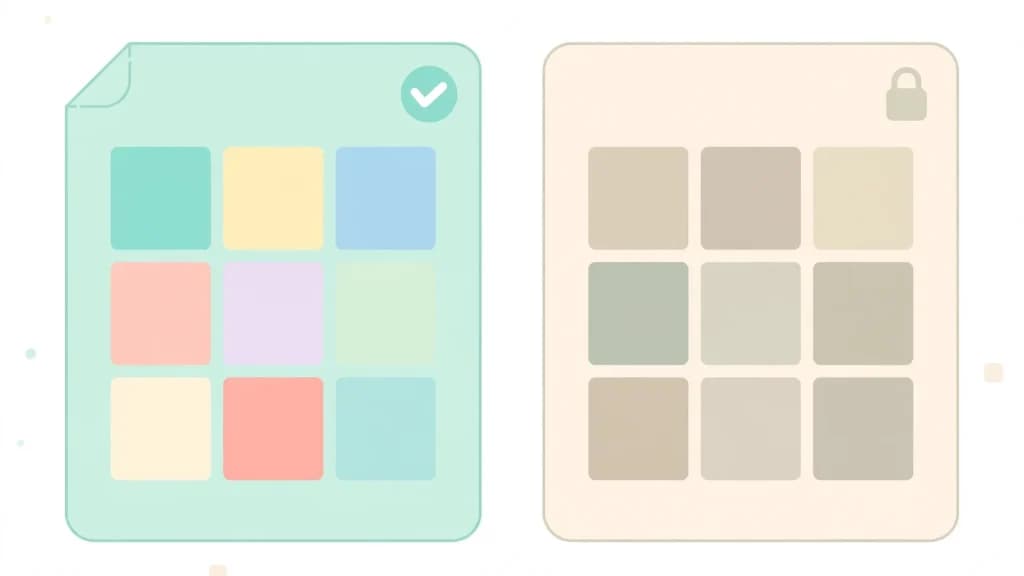
Let’s start with the good news. Quite a bit of public Instagram is visible to anyone, even with no account at all. Here’s the full picture in one place.
| Content | Without an account |
|---|---|
| Public profile basics, photo, name, bio, counts | Yes, usually visible |
| First batch of public posts | Yes, around the first 12 on desktop, then a login prompt |
| Single public post or Reel from a direct link | Usually opens, Reels play better on desktop |
| Hashtag pages | Yes, a scrolling grid of popular Reels |
| Search results and embedded posts | Yes, public posts show up in Google |
| Comments | Some on desktop, phones push you to the app |
| Stories and live videos | No, you get a login screen |
| Private accounts | No, only name, photo, bio, and counts |
| Followers and following lists | No |
| Like, follow, comment, message | No |
Public profile basics are always visible
Instagram’s Help Center is clear on this one. Anyone, on or off Instagram, can see a profile photo, name, username, and bio.
That holds for private accounts too. The basics are public by design, so a private profile still shows you its card, just nothing behind it.
A first batch of public posts
Open a public profile in a desktop browser and you’ll usually see the first 12 posts in the grid. Scroll further and a sign up popup appears.
Honestly, this is the part that changes most often. Some days you get more, some days you get less. Instagram tests different limits on different visitors, so don’t be surprised if the number moves around.
Single posts and Reels from a direct link
If someone sends you a link to a public post, it usually opens. Reels load fine on desktop, but on a phone Instagram often pushes you toward the app instead.
In my personal experience, direct links are the most reliable way to see a single piece of public content without an account. The profile grid is where the wall shows up first.
My guide on how to view Instagram Reels without an account walks through the Reels side of this in more detail.
Hashtag pages and search engine results
Hashtag pages open as a scrolling grid of popular Reels, and public posts show up in Google search results too.
You can find a lot this way without ever touching Instagram’s own search, because Instagram’s own search box doesn’t appear for logged out visitors at all. My guide on how to view Instagram posts without an account covers the direct link method step by step.
What Stays Locked Without an Account
Now the other side of the coin. These four things stay closed no matter which browser trick you try, and I say that after testing them myself.
Stories and live videos
A story link without an account shows you a login screen, not the story. Live videos are the same.
This is the biggest gap in logged out browsing, and it’s exactly why I built anonimogram. A viewer that reads public stories without asking you to log in fills the one hole Instagram leaves open.
One question I hear a lot here is does Instagram notify when you screenshot a story, and the short answer is no for normal stories.
Private accounts
A private account shows you its name, photo, bio, and counts, and nothing else. Only followers the owner approved can see the posts.
Real talk, any site that promises to show you a private account is lying to you. There is no tool, trick, or viewer that can do that, and the ones that claim it are usually after your login or your money.
Followers and following lists
You can’t open the followers or following list of any account without logging in, even if the account is public.
That surprises a lot of people, because the profile itself is visible. But Instagram keeps the lists behind the login wall, full stop.
Search, likes, comments, and messages
There is no search box on logged out pages, just Log In and Sign Up buttons. Liking, commenting, following, messaging, and saving all need an account too.
So logged out browsing is a look, not a visit. You can check something quickly, but you can’t take part in anything.
The Login Wall Shows Up Fast
Here’s what actually happens when I test this in a fresh browser with no Instagram cookies. I open a public profile, I see the bio and the first posts, and within a few scrolls the login prompt appears.
On a phone it’s even quicker. Instagram wants you in the app, so the prompts come earlier and feel pushier.
The exact point moves around. Fresh tests from October and November 2026 all agree on the pattern, even when the exact number of visible posts differs. The wall always comes, it just doesn’t always come at the same spot.
How to See Public Stories Without an Account
If stories are the thing you actually wanted, you have one honest option. Use a viewer built for public content, like anonimogram.
You type in the username, and if the account is public, you can watch its stories and highlights without logging in. Your name never lands on anyone’s viewer list.
My guide on how to view Instagram stories without an account walks through it step by step, and how to view Instagram highlights anonymously covers the saved highlights too.
Let me be straight with you about the limits though. It only works for public accounts, and it only shows what is still live or saved as a highlight.
It can’t touch private accounts. That is not a weakness of the tool, that’s just how Instagram works.
And if you’re worried about the other side of it, can someone see that you viewed their story is the question I get asked most, and the answer is no when you view through a no login viewer.
3 Traps to Avoid When Browsing Without an Account
The moment you search for ways around the login wall, the scam sites find you. Here are the three traps I see most often, dear, so you can spot them in seconds.
1. Sites that promise private account access
If a site says it can show you a private profile, close the tab. Instagram gates private content on its own servers, and no outside site can open that door.
2. Viewers that ask you to log in
A real anonymous viewer never asks for your Instagram password. If a site shows you a login form that looks like Instagram, that’s a phishing page trying to steal your account.
3. Apps that demand downloads and surveys
Survey walls, human verification loops, and mystery app downloads are the classic scam funnel. A legit web viewer works in your browser, no install, no survey, no account.
If you want the full safety picture, I wrote a complete answer to the question is it safe to use an Instagram story viewer, and if you want the legal side, is viewing Instagram stories anonymously legal is worth a read.
My Honest Verdict
So, what can you see on Instagram without an account? Enough to check a public profile quickly, and not much more.
You get the basics, a few posts, and single links that someone shared with you. Stories, private accounts, lists, search, and everything interactive stay behind the login wall.
If all you need is a quick look, the direct link method works fine. If you want to watch public stories without an account, that’s the one gap a viewer like anonimogram fills, honestly and without asking you for anything in return.
And if a site ever promises you the rest, the private stuff, the full feed, the hidden lists, walk away. That promise is the scam.
Frequently Asked Questions
Can you see Instagram profiles without an account?
Yes, public profiles are partly visible without an account. You can usually see the photo, name, username, bio, follower counts, and a first batch of posts in a desktop browser. Private profiles show only the basics, name, photo, bio, and counts, and nothing else.
Can you watch Instagram stories without an account?
Not on Instagram itself. A story link without an account shows a login screen instead of the story. A no login viewer like anonimogram can show stories from public accounts, because it reads the same public content without signing you in.
Can you see private Instagram accounts without an account?
No. Only followers the owner approved can see a private account’s posts, stories, or Reels. That rule comes from Instagram’s own Help Center, and no tool or trick can bypass it. Sites that promise private access are scams.
Why does Instagram keep asking me to log in?
Instagram limits how much logged out visitors can browse. After a few posts or a few seconds of scrolling, a login prompt appears. The exact point varies by device, browser, and location, and it changes over time, but the wall always comes.
Can you see Instagram posts on Google without an account?
Yes. Public posts can appear in search engine results, and public posts can be embedded on other websites. Private posts never appear in search results and can’t be embedded, so Google only ever shows you public content.
Can you see who follows someone without an account?
No. Followers and following lists need a login, even for public accounts. The profile itself is visible, but the lists stay behind the login wall.
Can you view Instagram Reels without an account?
Sometimes. A direct link to a public Reel usually opens and plays on desktop, but on a phone Instagram often pushes you toward the app instead. Hashtag pages also show a scrolling grid of popular Reels without an account.
Is it safe to use a viewer to see Instagram without an account?
A no login viewer that only shows public content is the safe route, because it never asks for your password or your account. The danger is sites that ask you to log in, complete surveys, or download apps.
Never type your Instagram password into a third party site, and stick to viewers that work in the browser with nothing to install.
Try the public Instagram viewer
Search any public profile — no account or login required.
Related articles

Is Insmask Safe? The Honest 2026 Review (From a Fellow Tool Builder)
Is Insmask safe? I checked it the way a fellow tool builder would. No login asked, a light ad footprint, and it actually works, but no named owner stands behind it. Here is the honest 2026 answer.
Is StoryViewer Safe? The Honest 2026 Review (From a Fellow Tool Builder)
Is StoryViewer safe? I checked what storyviewer.us and its lookalikes really do, their ads, privacy gaps, and the name confusion, so you can decide with rules, not blind trust.
Is Gramvio Safe? The Honest 2026 Review (From a Fellow Tool Builder)
Gramvio is dead in 2026. Its dot com domain does not resolve and its dot net domain now shows gambling content. Here is what I found when I checked, and what to use instead.