How to Download Instagram Reels Without an Account (2026)
You found a reel you want to keep. Maybe it is a recipe you will actually cook, or a workout you want to try tomorrow, or just a clip that made you laugh and you want it on your phone.
So you tap around looking for a download button, and there is nothing there.
Here is the thing. Instagram does not give you a save button for other people’s reels, and it never really has. But that does not mean you are stuck.
Let me explain how I download public reels without an account, which tools still work right now, and where the line sits on what is okay to download.
The Short Answer: Yes, If the Reel Is Public
If the reel sits on a public account, you can download it without logging in to Instagram. You copy the reel link, paste it into a browser downloader, and save the MP4 file. The whole thing takes about a minute.
If the reel sits on a private account, no. And I mean that plainly. No website, no app, and no trick can pull a private reel for you, because Instagram only serves that video to approved followers.
Any site that promises otherwise is after your login, so close the tab.
If you only want to watch a reel without an account, without saving it, I already covered that in my guide on how to view Instagram reels without an account. This article is about getting the actual file onto your device.
How to Download a Reel Without an Account
The method is the same on every tool I tested, dear, so once you learn it you can use any of them. Three steps, nothing to install, no account anywhere.
Step 1: Copy the Reel Link
Open the reel in the Instagram app or in your browser. Tap the paper plane share icon, or the three dots, and choose Copy link. On a computer, open the reel and copy the address from the address bar.
Copy the link of the reel itself, not the profile page. A profile link points at dozens of posts, so the tool cannot tell which video you mean. This is the mistake I see people make most, honestly.
Step 2: Paste the Link Into a Downloader
Open one of the tools in the next section. Paste the link into the box and hit the download button. The tool reads the public post behind the link and shows you a preview, usually with the creator name and a thumbnail.
If the tool asks you to log in to Instagram, create an account, or finish a survey first, stop. That is not how a real no-login downloader works. A legit one only ever needs the link.
Step 3: Pick a Quality and Save the File
Most tools offer two or three quality options. Pick the highest one if you want the original file, then tap Download. On a phone the MP4 lands in your Downloads or Files app. On a computer it goes straight to your downloads folder.
On an iPhone, Safari sometimes opens the video instead of saving it. If that happens, long-press the video and choose Download Linked File, or tap the share icon and choose Save to Files. I cover the iPhone steps in detail below.
What I Tested on Nov 23, 2026
I checked the tools myself today, Nov 23, 2026, from a plain browser with no Instagram login. I am only listing what actually loaded and what did not, because this niche changes every few weeks and old lists lie to you.
| Tool | What I Found Today |
|---|---|
| FastDL | Loaded, ready to paste a link |
| sssinstagram | Loaded, ready to paste a link |
| TrackMedia video downloader | Loaded, page updated hours ago |
| VidiDown reels downloader | Loaded, no ads on the page right now |
| ReelsDownloaderApp | Loaded, updated Nov 21, 2026 |
| iGram | Loads but shows permanently unavailable |
| SnapInsta | Did not respond from my test setup |
| SaveIG | Did not respond from my test setup |
Two honest notes on that table. First, SnapInsta and SaveIG not responding from my server does not prove they are dead. These sites sometimes block datacenter connections, and both have worked in my earlier tests this year.
I am not ranking them today because I could not test them fresh.
Second, iGram is a different story. The page loads, but it plainly says the service is permanently unavailable. Do not waste your time on it, and do not trust a lookalike site with a similar name that claims to be the new iGram.
The Tools That Worked Today
Every tool below is free, asks for no login, and returns the original MP4 with no watermark. I list them in the order I would actually use them.
1. FastDL
FastDL is the one I reach for first when I want speed. Paste the link, get the video, done. It has no daily limit that I have hit, and it handles reels plus regular video posts.
In my experience building anonimogram, tools that stay this simple tend to stay alive longest.
2. sssinstagram
This one is light and fast, and it is the best pick when a post has more than one video in it. Paste one link and it lists every clip in the carousel, so you can save the one you want instead of guessing.
3. TrackMedia
TrackMedia is the newest name on this list, and its page was updated hours before I wrote this. It is clean, with no popups, and it says plainly that it stores nothing and only works with public posts.
That honesty is exactly what I look for.
4. VidiDown
VidiDown is a solid all-rounder for reels. It detects long videos automatically, offers an audio-only MP3 option if you only want the sound, and its own page says prepared files are deleted after 30 minutes. No ads showed on the page when I checked.
5. ReelsDownloaderApp
This one does exactly one job, reels, and it does it well. Paste a public reel link, pick a resolution, and save the original MP4 with no watermark. The page was updated Nov 21, 2026, which tells me someone is still maintaining it.
If you want stories instead of reels, the steps are nearly the same, and I wrote a separate guide on how to download Instagram stories without an account.
How to Download a Reel on iPhone
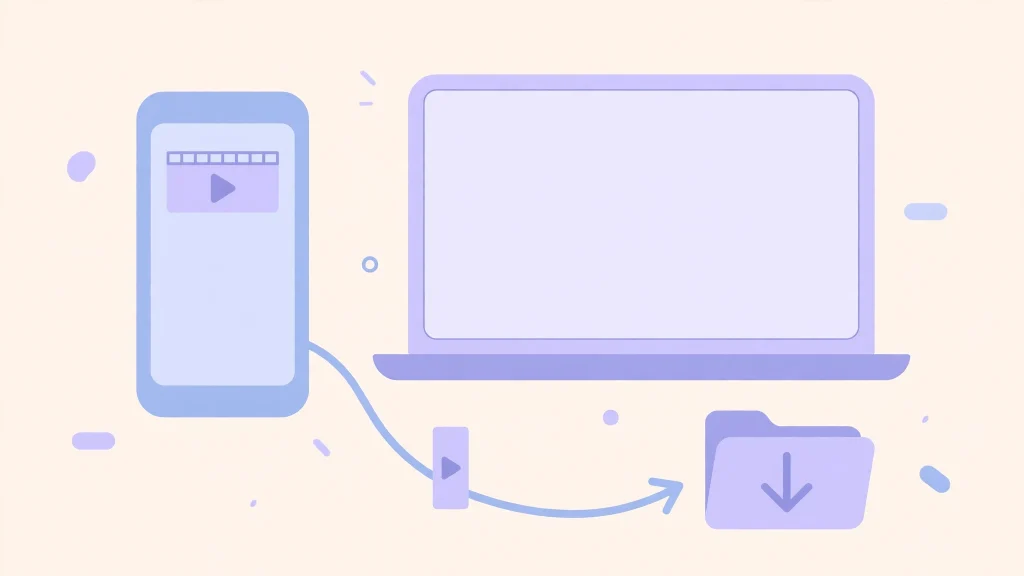
iPhone users ask me about this more than anyone else, so let me walk you through it. The steps work in Safari, and you do not need to install anything.
- Open Instagram in Safari or in the app and copy the reel link.
- Open FastDL or any tool above in Safari and paste the link.
- Tap Download, then tap the download icon in the address bar.
- Find the file in the Files app under Downloads, then tap Share and Save Video to move it to Photos.
If Safari plays the video instead of downloading it, long-press the video and choose Download Linked File. That one gesture fixes the problem almost every time.
How to Download a Reel on Android
Android is the easy one, honestly. Chrome handles downloads natively, so there is no Files app dance like on iPhone.
- Copy the reel link from the Instagram app.
- Paste it into the downloader in Chrome.
- Tap Download and pick a quality.
- Find the MP4 in your Downloads folder or your gallery.
One tip from my own testing. If a download stalls at zero percent, switch from mobile data to Wi-Fi and try again. Instagram video files are chunky, and a weak signal is the usual culprit, not the tool.
How to Download a Reel on PC
On a computer the whole job takes about thirty seconds. Copy the link from the address bar while the reel is open, paste it into the downloader, and save the MP4. Your browser asks where to save it, or drops it in Downloads by default.
If you download a lot of reels for editing, make a folder for them before you start. Files named like reel_482910.mp4 all look the same a week later, and you will thank yourself for renaming the good ones.
Can the Creator Tell You Downloaded Their Reel?
No. Instagram does not notify anyone when you download a public reel through a third-party tool, and it does not show the creator a list of downloaders. The creator sees views and likes, not downloads.
Here is the flip side, and I want you to hear it straight. Downloading is invisible, but reposting is not. If you upload someone else’s reel as your own, the creator can find it, report it, and get it taken down.
Keep downloads for yourself unless you have permission.
The Rules You Should Know Before You Download
Downloading a public reel for your own offline viewing sits in a gray area, but it is widely done and generally tolerated. Reposting it is a different matter. The video still belongs to the person who made it.
- Your own reels: download freely, they are yours.
- Public reels for personal use: generally fine, keep them offline.
- Reposting someone else’s reel: ask first, or give clear credit and link back.
- Reels with music: the audio is licensed to Instagram, not to you, so reposting can trigger a mute or a takedown even with credit.
- Private reels: off limits, always, no exceptions.
When I built anonimogram, I made the same call for stories. Show public content honestly, never promise private access, and tell people plainly what a tool can and cannot do. The same rule applies here.
If you want the fuller picture, my guide on whether viewing Instagram stories anonymously is legal covers the same ideas in more depth.
When Downloads Fail: 5 Fixes That Actually Work
If the downloader spins forever or says it cannot find the video, work through this list before you blame the tool. In my testing, the problem is usually the link, not the site.
If the whole viewer side is acting up too, my guide on why your Instagram story viewer stopped working covers the same kinds of failures.
1. The Reel Is Private or Deleted
If the account went private or the creator deleted the reel, no tool can fetch it. The link is simply dead. Try opening the reel in a browser while logged out. If Instagram shows an error there too, the reel is gone.
2. You Copied the Wrong Link
Profile links and explore page links do not work. Open the reel itself and copy its link, which has the word reel in the address. Paste it again and it usually works on the first try.
3. The Tool Is Rate-Limited Today
Instagram throttles downloader sites when too many people hit them at once. Wait ten minutes and try again, or switch to another tool on the list. This is temporary, not a sign the tool is dead.
4. Your Browser Is Blocking the Download
Ad blockers and strict privacy extensions sometimes block the download popup. Pause the extension for that one page, or try a private window, and the button usually works.
5. The Video Is a Live Broadcast or a Very Long Reel
Live broadcasts still in progress cannot be downloaded, and some tools cap very long videos. Wait for the live to end, or use a tool like VidiDown that lists a 120-minute limit.
Frequently Asked Questions
Can I download Instagram reels without an account?
Yes, if the reel is on a public account. Copy the reel link, paste it into a no-login downloader like FastDL or sssinstagram, and save the MP4. You never need an Instagram account, and you never need to install anything.
Is it legal to download Instagram reels?
Downloading a public reel for your own personal viewing is widely done and generally tolerated, but the video still belongs to its creator. Reposting it without permission can break copyright rules, and music in the reel is licensed to Instagram, not to you.
When in doubt, ask the creator first.
Do reel downloaders add a watermark?
The honest tools do not. FastDL, sssinstagram, TrackMedia, VidiDown, and ReelsDownloaderApp all return the original file Instagram serves, with no watermark added. If a site stamps its own logo on your download, use a different tool.
Can I download reels from a private account?
No. Private reels are only served to approved followers, so no downloader can reach them without logging in as a follower. Any site that claims it can download private reels is a scam, and it is usually after your Instagram password.
Why does the downloader say video not found?
The usual cause is a wrong link, so check that you copied the reel link itself and not a profile link. The other common causes are a deleted reel, a private account, or a tool that is rate-limited today.
Wait ten minutes or try another tool from the list above.
Can I download reels in HD quality?
Yes. Most tools offer two or three quality options, and the highest one is the original file Instagram stores. Pick that one. The file size is bigger, but the quality matches what you saw in the app.
Do I need to install an app to download reels?
No, and I would avoid any downloader that asks you to install something. Every tool in this guide runs in your browser on iPhone, Android, and PC. An app that demands installs or permissions is usually monetizing you, not helping you.
Will the creator know I downloaded their reel?
No. Instagram does not send a notification for downloads, and the creator cannot see who saved their reel. They see views, likes, and comments, nothing else. Just remember that reposting is visible, so keep downloads for personal use unless you have permission.
My Honest Take
Downloading a public reel without an account is simple, and it works fine in Nov 2026 if you use a tool that is actually alive. Copy the link, paste it, save the file, and keep it for yourself. That is the whole secret.
Just remember the two lines I never cross. Private stays private, and someone else’s work stays theirs unless they say otherwise. Stick to that, and you will never have a problem.
If you want to watch stories the same honest way, without an account and without leaving a trace, that is exactly what I built anonimogram for.
And if you are still unsure whether these tools are safe in general, my guide on whether Instagram story viewers are safe answers that question straight.
Try the public Instagram viewer
Search any public profile — no account or login required.
Related articles
Can You See Who Viewed Your Highlights on Instagram? The 48-Hour Rule Explained (2026)
Yes, but only for 48 hours from when the original story was posted. Here is the rule, how to check it, and what happens after the window closes.
Best Anonymous Instagram Story Viewer in 2026 (Tested by a Fellow Tool Builder)
I tested the top anonymous Instagram story viewers in November 2026 and ranked 7 of them. Free, no login, no signup. See which ones actually worked.
Why Can’t I See Someone’s Instagram Story? 7 Honest Reasons (2026)
You tap the story ring and nothing loads. I explain the 7 real reasons you cannot see someone’s Instagram story and the one test that shows which one it is.